
Options Alerts - Swing Signals
Gamma Greeks: AI Stock Option Signals, Flow AlertsFinance
4.395.00 Reviews
- Version
- 2.4.3
- Installs
- 50.00K
- Age Rating
- Everyone
Screenshots
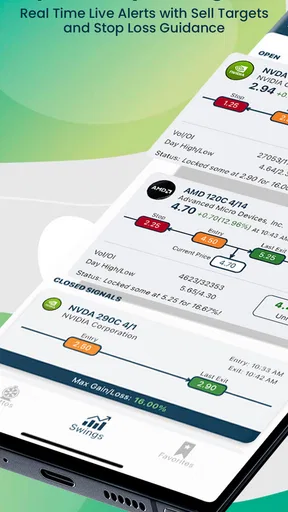
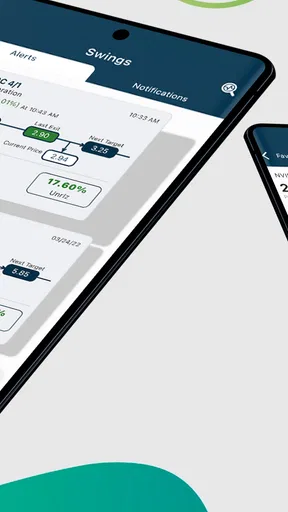
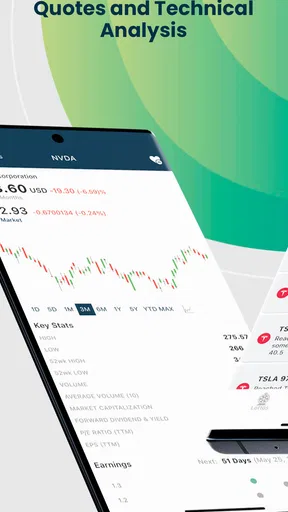
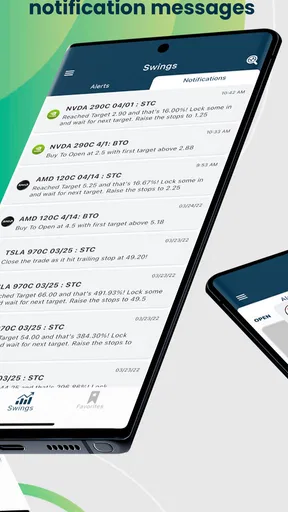
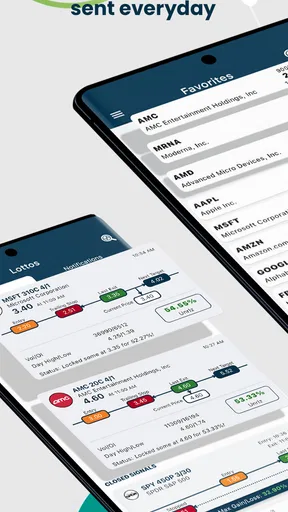
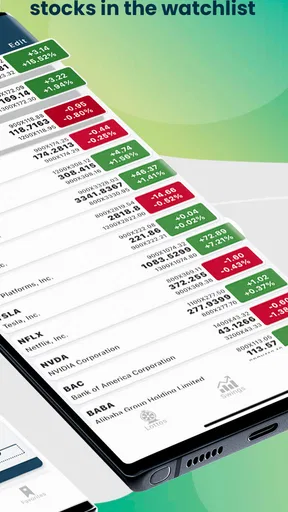
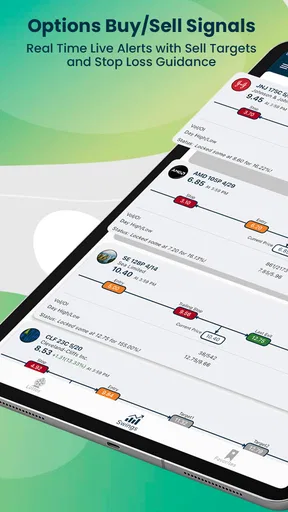
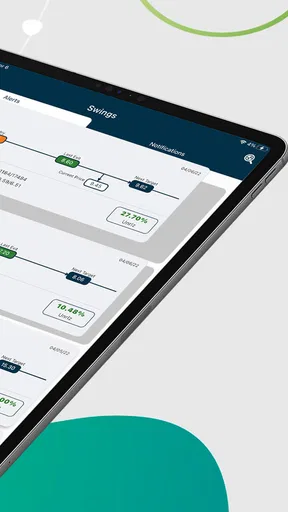
Our Review of Options Alerts - Swing Signals
 Analysis by Appyee
I’m cautious about any app that sends trading signals, because a timely alert can be useful but can also make a risky decision feel more certain than it is. Options Alerts - Swing Signals is a finance app from Vivid Signals - Stock Options Trade Signal Alerter, built around alerts for options trades. I’d treat it as a prompt to check a setup, not as a substitute for my own research or a promise of a profitable trade.
What I would check before relying on an alert
When I try a signal app, I first separate the convenience of receiving a notification from the quality of the decision behind it. An alert can help me notice a possible entry or exit while I’m away from a chart, but I still need to know what I would do with that information. Before acting, I’d compare the signal with the underlying price action, my planned risk, and the amount I’m willing to lose. That routine matters especially with options, where a seemingly small move in the underlying asset can have a much larger effect on a position.
I would also decide in advance whether an alert is meant to start research or trigger an order. For me, the safer role is the first one: use the notification to open the relevant chart, check whether the setup still makes sense, and then decide independently. A signal arriving at a convenient moment is not necessarily a signal that fits my time horizon, account, or tolerance for volatility.
Where privacy and control deserve attention
Financial tools can make people wonder what information they are sharing, what notifications they will receive, and whether paid features are involved. I prefer to inspect the app’s permission prompts and account choices on my own device rather than assume what it can access. I would grant only what seems necessary for the way I plan to use it, and I’d review notification settings if alerts become distracting. Those are practical checks, not claims about any particular permission or data practice.
The app is free to install, while in-app purchases range from $29.99 to $299.99 per item. That makes it worth checking the purchase screen carefully before committing to anything: understand what a paid item covers, whether it fits your intended use, and whether you are comfortable with the cost. I would not pay simply because a signal has caught my attention; I’d first decide whether the service adds something useful to my own process.
Its 4.3 average from around a thousand ratings gives a prospective user some public feedback to consider, while the 50,000-plus installs suggest that other people have tried it. Neither figure establishes that alerts are accurate or suitable for a particular trader. Reviews can help reveal common experiences, but I’d look for comments that describe a similar use case to mine rather than treating popularity as proof of investment value.
Getting Started with Options Alerts - Swing Signals
First things first, downloading the app was a breeze. It's available on both Android and iOS, so no matter your device, you’re covered. Once you fire it up, you’re greeted with a user-friendly interface that even a newbie like me found pretty intuitive. The design is sleek, with a dark mode option that’s easy on the eyes during those late-night trading sessions.
Features That Stand Out
Now, let’s dive into the nitty-gritty. One of the coolest features of the app is its real-time notifications. You can customize alerts based on your trading preferences, ensuring you never miss a beat. Whether it's a breakout or a reversal, your phone will buzz with the latest insights.
Another handy feature is the detailed analysis provided for each signal. The app doesn't just throw numbers at you; it breaks down the reasoning behind each alert. This is perfect for those of us who are still learning the ropes and want to understand the "why" behind a trade.
Learning the Ropes
If you’re new to trading, don't fret. The app includes educational resources that are pure gold. There are tutorials and articles that explain different trading strategies and how to interpret market signals. I found myself spending quite a bit of time in this section, and I can honestly say it’s like having a mini trading course at your fingertips.
Plus, there’s a community aspect to the app. You can connect with other traders, discuss strategies, and even share your own insights. It’s like being part of a club where everyone’s focused on helping each other succeed.
Putting alerts into a real routine
A realistic way I’d use an alert is during a busy workday: I might see a notification while commuting or between tasks, but I wouldn’t place an options trade from the lock screen. I’d wait until I could review the underlying chart and the reasoning attached to the signal, then compare the setup with a written plan. If the move has already happened or the risk no longer suits me, I’d let it pass. The value in that situation is a reminder to investigate, not pressure to act immediately.
For a swing trader who already has a watchlist and a method for sizing positions, this kind of alerting can reduce the need to monitor charts continuously. It may be less useful for someone who trades only occasionally, has not learned how options behave, or wants an app to make decisions on their behalf. Newer users should be especially careful not to confuse educational explanations with personalized financial advice; learning why a signal appears is helpful, but it does not establish that the trade is right for them.
One useful habit is to record what you did with each signal, including the ones you ignored. Over time, that can help you judge whether alerts genuinely improve your process or simply increase the number of trades you consider. It also makes it easier to spot a personal weakness, such as reacting late or entering without a clear exit plan. I’d keep that record separate from any assumption that past outcomes guarantee future results.
How it fits among trading tools
Compared with checking charts manually, an alert-first app can save attention by bringing a potential setup to you. Compared with a general market-news feed, its focus on options signals is more directly tied to trade ideas, but that focus also means it should not replace broader market research. A brokerage app is still the place I’d expect to review an order and manage a position; a charting tool may be better when I need more control over technical analysis. I see this app as a possible layer in that workflow, rather than an all-in-one trading desk.
That distinction helps answer a common practical question: can it replace a broker or a chart platform? I would not plan on that. Its appeal is alerts and signal-related information, while placing trades, checking account exposure, and evaluating a full chart are separate jobs. Keeping those roles separate makes it less likely that a notification will turn into an impulsive order.
Learning the Ropes
If you’re new to trading, don't fret. The app includes educational resources that are pure gold. There are tutorials and articles that explain different trading strategies and how to interpret market signals. I found myself spending quite a bit of time in this section, and I can honestly say it’s like having a mini trading course at your fingertips.
Plus, there’s a community aspect to the app. You can connect with other traders, discuss strategies, and even share your own insights. It’s like being part of a club where everyone’s focused on helping each other succeed.
Performance and Reliability
In terms of performance, the app runs smoothly. I didn’t encounter any lag or crashes, which is crucial when you’re dealing with time-sensitive trades. The developers seem to be on their toes with regular updates and improvements. It’s always reassuring to see an app that’s actively maintained.
However, it's important to remember that while the signals are a fantastic guide, they’re not gospel. The market can be unpredictable, and it’s essential to do your own research and not rely solely on any app for investment decisions.
The app is rated for Everyone, and its current version is 2.4.3, with a minimum operating-system requirement of 7.1. It was released on April 16, 2022, and has 95 reviews. Those details can help with basic compatibility and context, but they say little about whether the signal approach matches your experience level. I’d check that my device meets the requirement and, more importantly, make sure I understand the risks of options before treating any alert as actionable.
Is It Worth It?
So, the big question: Is the app worth your time? If you’re serious about trading or even just curious to learn, I’d say give it a shot. The combination of real-time alerts, detailed analyses, and educational resources make it a valuable tool.
It’s like having a mentor who’s always available to guide you through the complexities of the market. Just remember to use it as a tool in your trading arsenal, not the entire strategy.
In conclusion, whether you’re a seasoned trader or just starting out, Options Alerts - Swing Signals offers something for everyone. It’s user-friendly, packed with features, and provides a great platform for learning and growth. Happy trading, and may your signal always be green!
My cautious verdict
I’d consider trying Options Alerts - Swing Signals if I already understand options, want signal notifications to support a defined routine, and am prepared to verify each idea myself. I’d skip it if I’m looking for guaranteed calls, hands-off investing, or a replacement for a broker and charting tools. The sensible test is to explore the app without rushing into paid purchases or trades, see whether its signals fit a method I already trust, and keep control of every decision.
Verdict
Strengths of Options Alerts - Swing Signals
- User-friendly interface for quick navigation.
- Real-time alerts keep users updated promptly.
- Comprehensive analysis of market trends.
- Customizable alerts to suit individual needs.
- Reliable data source for accurate predictions.
Limitations of Options Alerts - Swing Signals
- Limited features available in free version.
- Occasional delays in notification delivery.
- Requires stable internet for optimal performance.
- No offline mode for market analysis.
- UI can be overwhelming for beginners.
Other Releases by Gamma Greeks: AI Stock Option Signals, Flow Alerts
View All
Option Signals -Picker Alerter
Finance4.3

Trade Signals - Stocks Options
Finance4.5
Similar Picks in This Category
View All
Google Wallet
Google LLC4.3

Airtel: Recharge, Bank & Loans
Airtel4.0

PayPal - Pay, Send, Save
PayPal Mobile4.2

DANA Indonesia Digital Wallet
PT Espay Debit Indonesia Koe4.5

Binance: Buy Bitcoin & Crypto
Binance Inc.4.8

Cash App
Block, Inc.4.7
Frequently Asked Questions
What is Options Alerts - Swing Signals, and how does it work?
Options Alerts - Swing Signals is an app designed to help traders by providing real-time options trading alerts and swing trade signals. The app uses advanced algorithms and market analysis to identify potential trading opportunities. Users receive notifications on their devices, allowing them to make timely decisions. It's suitable for both beginners and experienced traders looking to optimize their trading strategies.
Is Options Alerts - Swing Signals suitable for beginners in trading?
Yes, Options Alerts - Swing Signals is suitable for beginners. The app provides educational resources and easy-to-understand alerts that help newcomers grasp the basics of options trading. However, users should still have a basic understanding of trading terms and strategies. The app’s user-friendly interface makes it accessible for anyone looking to start trading with guidance.
What features does Options Alerts - Swing Signals offer?
Options Alerts - Swing Signals offers features such as real-time trade alerts, market analysis, customizable notifications, and a comprehensive dashboard to track performance. It also provides educational content for learning trading strategies and tips. The app is designed to help users make informed trading decisions by providing timely and accurate information on market trends.
How reliable are the trade alerts provided by Options Alerts - Swing Signals?
The trade alerts in Options Alerts - Swing Signals are generated using sophisticated algorithms and market analysis. While they are designed to be reliable and timely, it’s important to remember that all trading involves risk, and past performance is not indicative of future results. Users should consider these alerts as part of their overall trading strategy and conduct their own research.
Are there any subscription fees for using Options Alerts - Swing Signals?
Options Alerts - Swing Signals may offer both free and premium subscription options. The free version typically provides basic features, while a premium subscription may unlock advanced features like more frequent alerts, in-depth analysis, and personalized notifications. It's advisable to review the app’s pricing details in the app store or the app’s official website before downloading.
